> ## Documentation Index
> Fetch the complete documentation index at: https://help.baidudl.com/llms.txt
> Use this file to discover all available pages before exploring further.
# Canceling your subscription
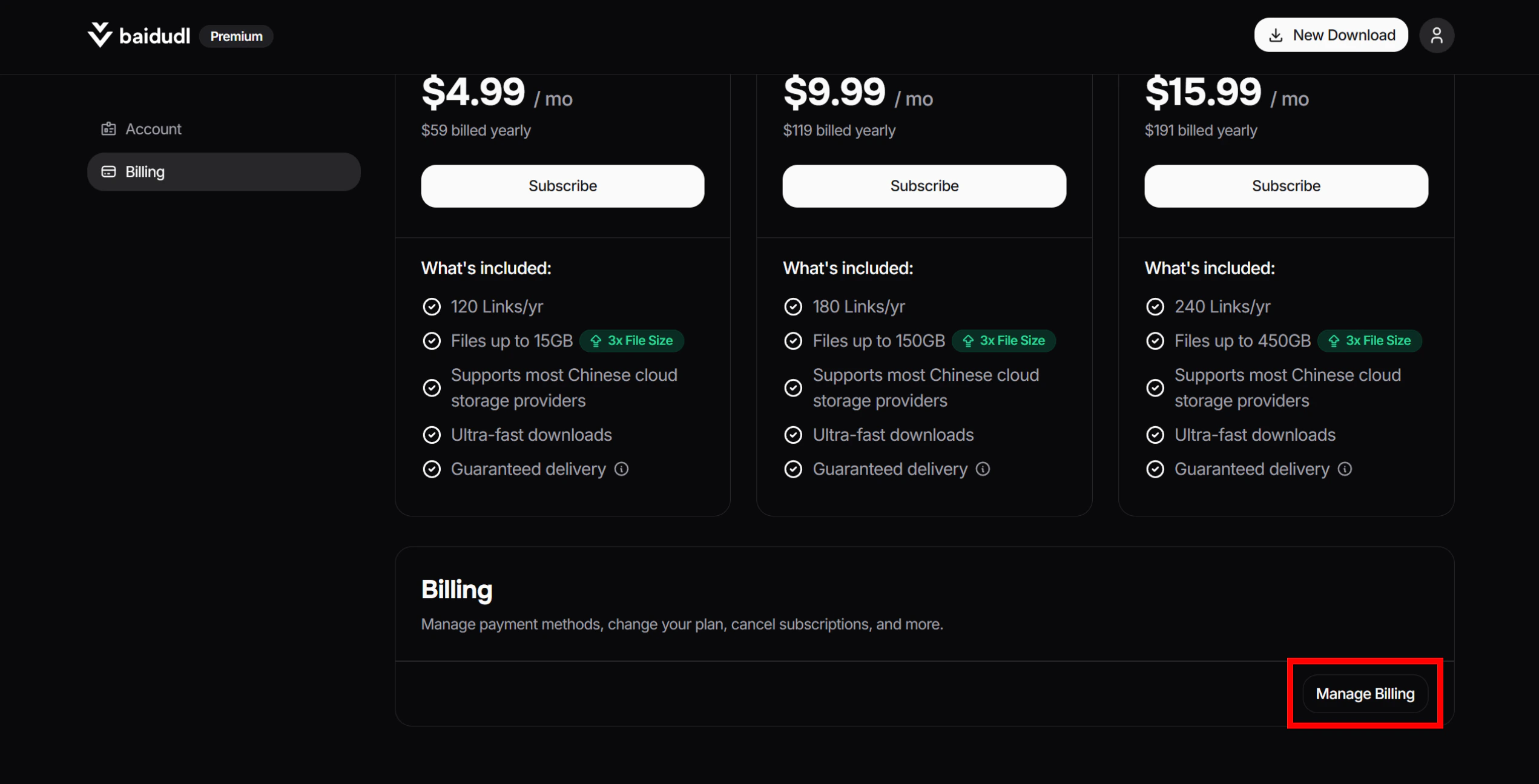
1. Go to [this page](https://baidudl.com/profile/billing), click **Manage Billing**.
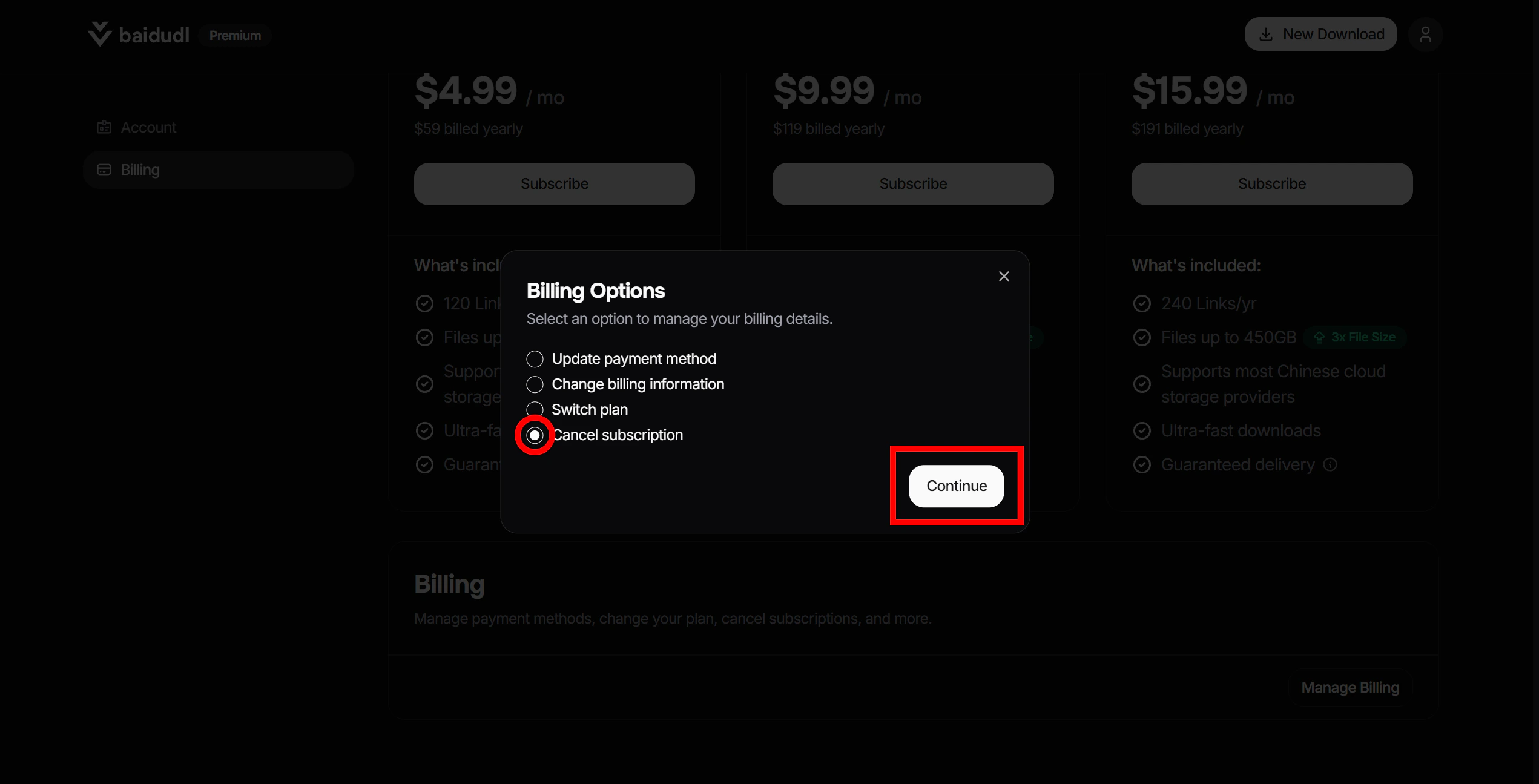
 2. Select **Cancel subscription**, then click **Continue**.
 3. You'll be redirected to an external billing portal to complete the cancellation process.
## What happens after you cancel
Upon canceling, your remaining link credits will be forfeited and you will lose the ability to submit new links. Any files you have already processed will remain accessible until their individual 7-day storage period ends.
3. You'll be redirected to an external billing portal to complete the cancellation process.
## What happens after you cancel
Upon canceling, your remaining link credits will be forfeited and you will lose the ability to submit new links. Any files you have already processed will remain accessible until their individual 7-day storage period ends.