> ## Documentation Index
> Fetch the complete documentation index at: https://help.baidudl.com/llms.txt
> Use this file to discover all available pages before exploring further.
# Changing your plan
Plan switching is not available directly. To move to a different plan, cancel your current subscription and resubscribe.
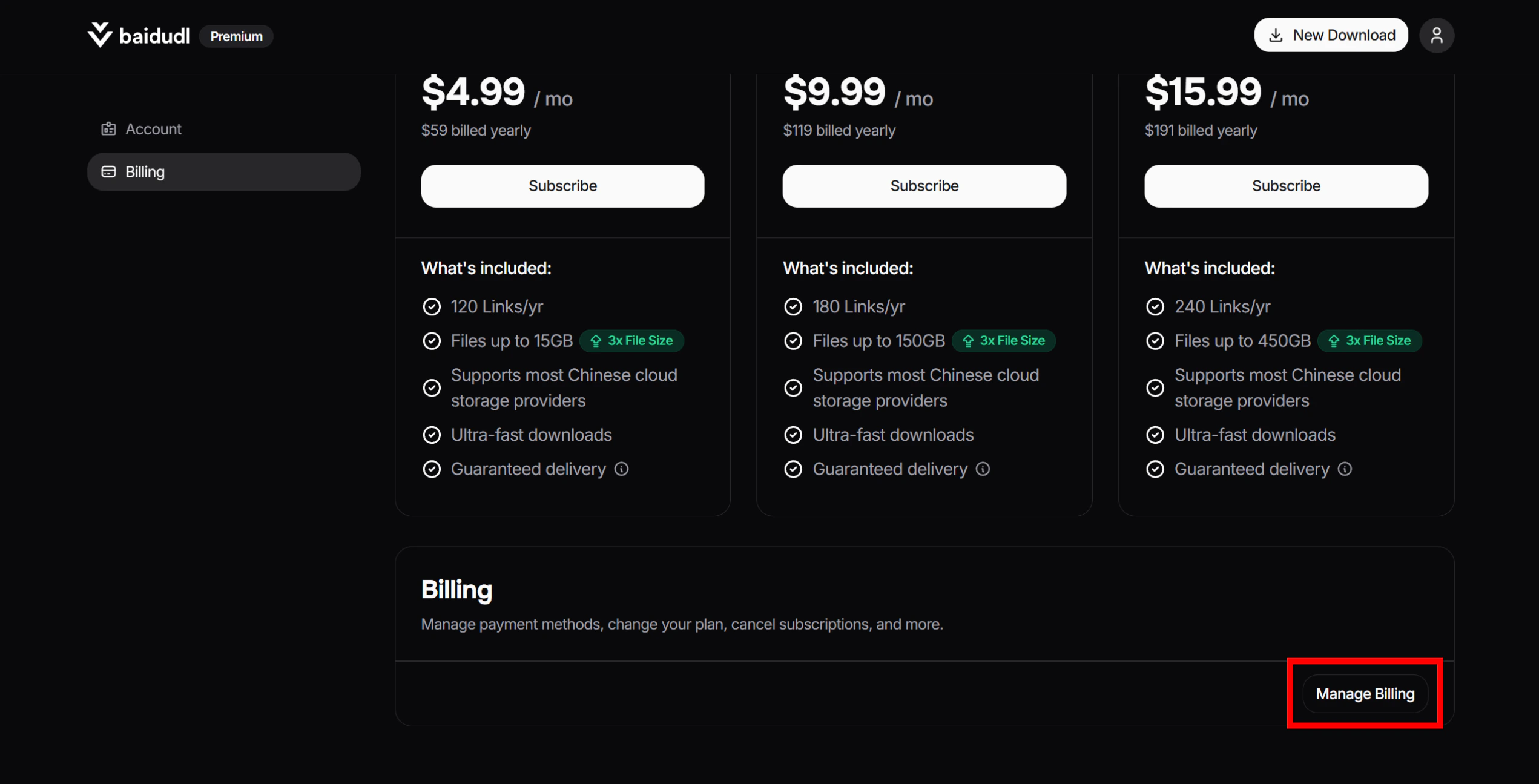
1. Head to [this page](https://baidudl.com/profile/billing) and click the **Manage Billing** button.
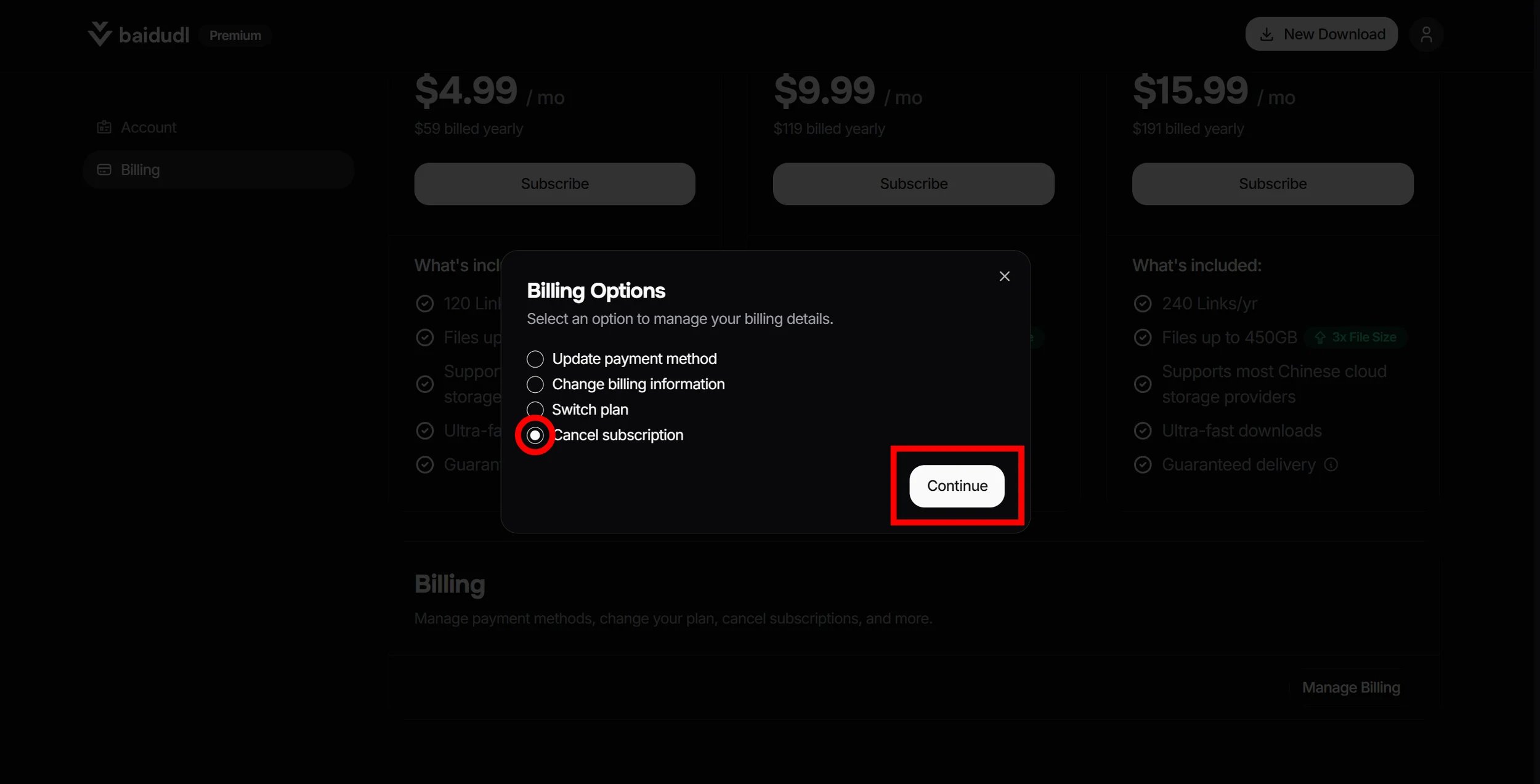
 2. Select **Cancel subscription**, then click **Continue**
 3. You'll be redirected to an external billing portal to complete the cancellation.
4. Once canceled, go to the [pricing page](https://baidudl.com/usage/plans) and subscribe to your desired plan.
Your cancellation takes effect immediately, so you can resubscribe right away without waiting for your billing period to end.
## Warning
Canceling will forfeit any remaining link credits, and you will lose the ability to submit new links until you resubscribe. Any files you have already processed will remain accessible until their individual 7-day storage period ends
3. You'll be redirected to an external billing portal to complete the cancellation.
4. Once canceled, go to the [pricing page](https://baidudl.com/usage/plans) and subscribe to your desired plan.
Your cancellation takes effect immediately, so you can resubscribe right away without waiting for your billing period to end.
## Warning
Canceling will forfeit any remaining link credits, and you will lose the ability to submit new links until you resubscribe. Any files you have already processed will remain accessible until their individual 7-day storage period ends