Help Center - BAIDUDL home page
Search...
⌘K
Dashboard
Dashboard
Search...
Navigation
Billing
Canceling your subscription
Help Center
Introduction
General
Supported cloud services
Processing time & speed
File storage duration
File delivery locations
Checking file sizes
Missing links on dashboard
Failed downloads
Downloads per file limit
Password-protected files
Download speeds
Missing download link email
Selecting specific files or folders
Disposable email addresses
File security & privacy
Google Drive link errors
Missing decryption key
Subscription
Link credit reset and rollover
Downloading after plan expiration
File size limits by plan
Understanding link credits
Link submission issues
Billing
Changing your plan
Accepted payment methods
Crypto payments
Canceling your subscription
Requesting a refund
Account
Changing your email
Deleting your account
On this page
What happens after you cancel
Billing
Canceling your subscription
Copy page
Copy page
Go to
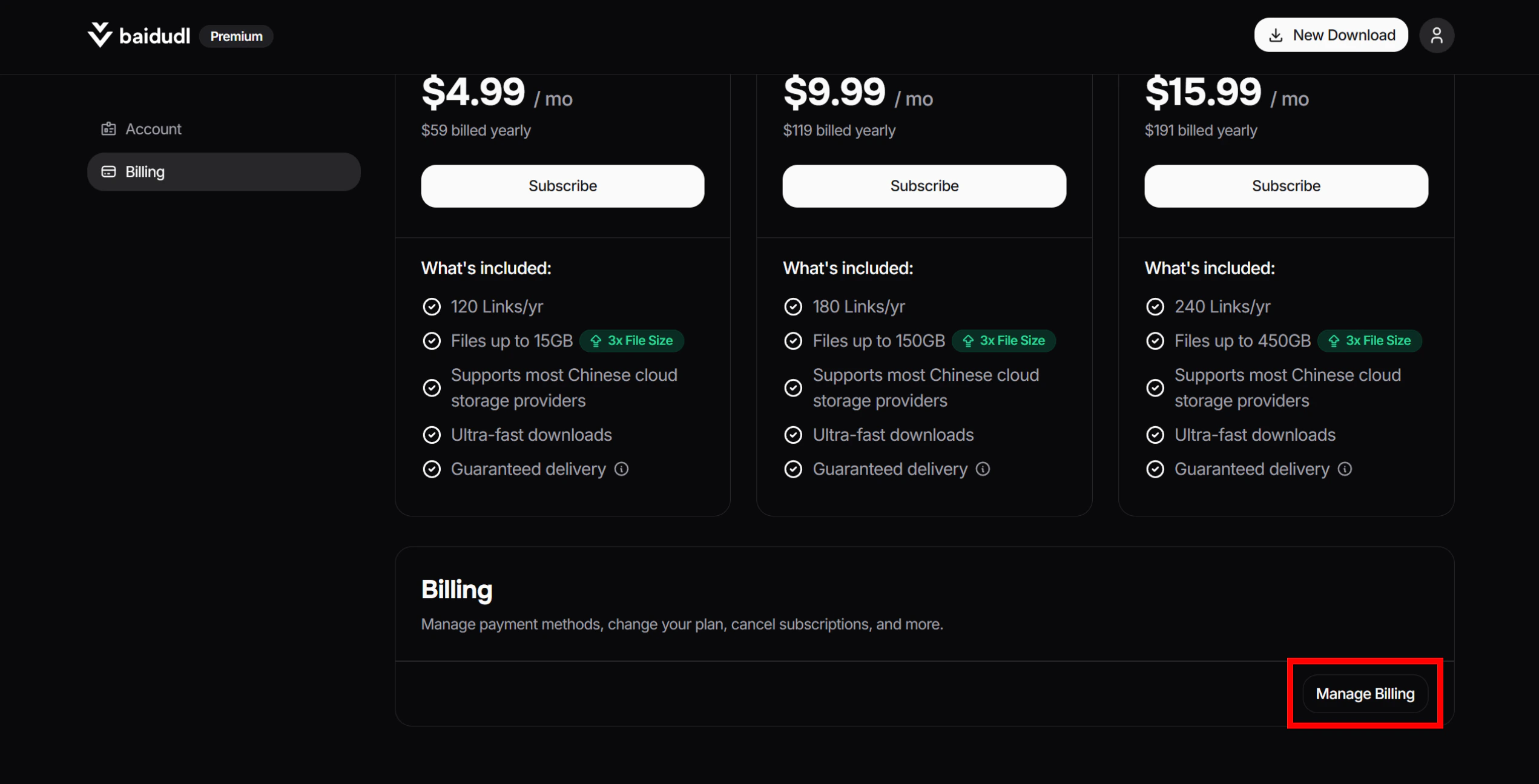
this page
, click
Manage Billing
.
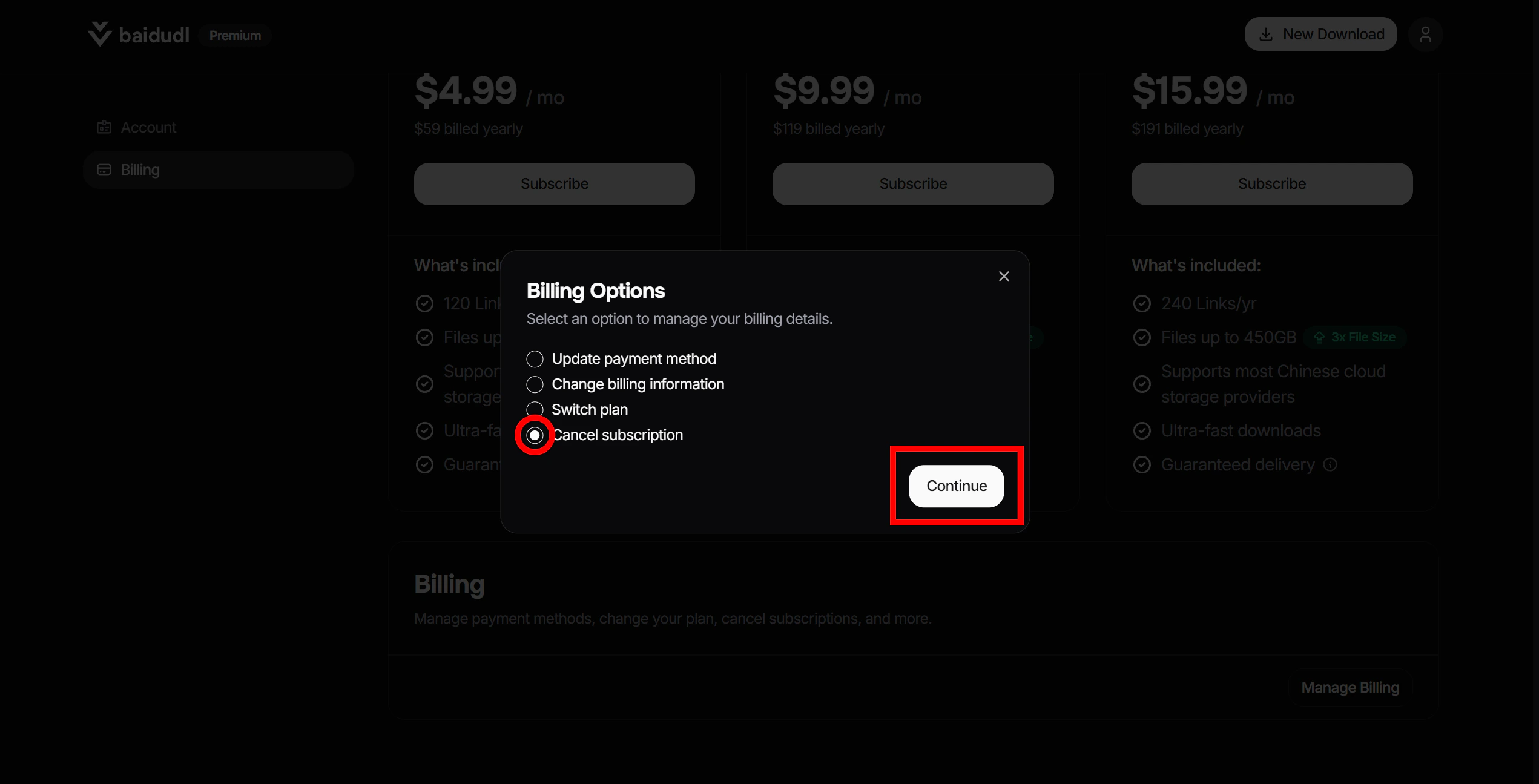
Select
Cancel subscription
, then click
Continue
.
You’ll be redirected to an external billing portal to complete the cancellation process.
What happens after you cancel
Upon canceling, your remaining link credits will be forfeited and you will lose the ability to submit new links. Any files you have already processed will remain accessible until their individual 7-day storage period ends.
Crypto payments
Requesting a refund
⌘I